From ErgoDox EZ to a custom board, why?
Rabbit hole I went. This marks the day I started, let’s see how long it takes to actually get it done ;k
After learning how to write on a split keybaord (ErgoDox Ez). I literally spent over 2 weeks (~6hrs/day) on monkeytype.com to learn how to write again, more about it in a deticated post! Anyways after a while idea came to my mind: “I need a smaller, more portable and possibly even wireless keyboard?”.
By the way the rational of the idea was simple- while ergodox ez is a great, durable and stable keyboard it is bulky and I don’t even need nor do I use all the keys.
3 days until am going to a different city for University
As the title says, there is only couple of days left I have with my 3D printer to get the chassis for the keyboard before I drive to Chalmers.
Night before, the Day-Z, I was done with some kind of a design. I simply put my imagination, finger placement and estimated what could be most ergonomical. Then I hit print I did not have time to test it in any way. I packed all my things on off to Gothneburg.
Soldering time?
The first one and a half weeks were packed with student activities at my H-Section at Chalmers, thus I did not have time to solder on the KB switches. But eventually I found a time slot AND boy those solders…ehm were absolutly terrible, I used CAT6 cables wires (it’s actually a solid wire and it doesn’t want to be bend much) and a fully open copper wire.
Hooked it up on a breadboard, with Rasp PICOs. Then I plugged it into the computer and uploaded QMK firmware on each halve, and there it was, alive. My initial custom split keyboard, hand soldered and ready to be tested. But It was time for the first classes at Uni…
Let’s put on some keycaps and test it out properly!
Was pretty much not at home first 2 weeks of septemer, student activites plus courses had started had no time to for beloved newly soldered keybaord :(. But then yet again I got a free slot, I used ErgoDox EZ keycaps to test it out, and darn it… It is autoclicking/ spaming one button…WHY. What did I do wrong? Looked over wiring looked fine? What is going on? Spent a whole afternoon. I did not find the problem, I gave up. Put keycaps back on ErgoDox and continued working with it instead. It was University time
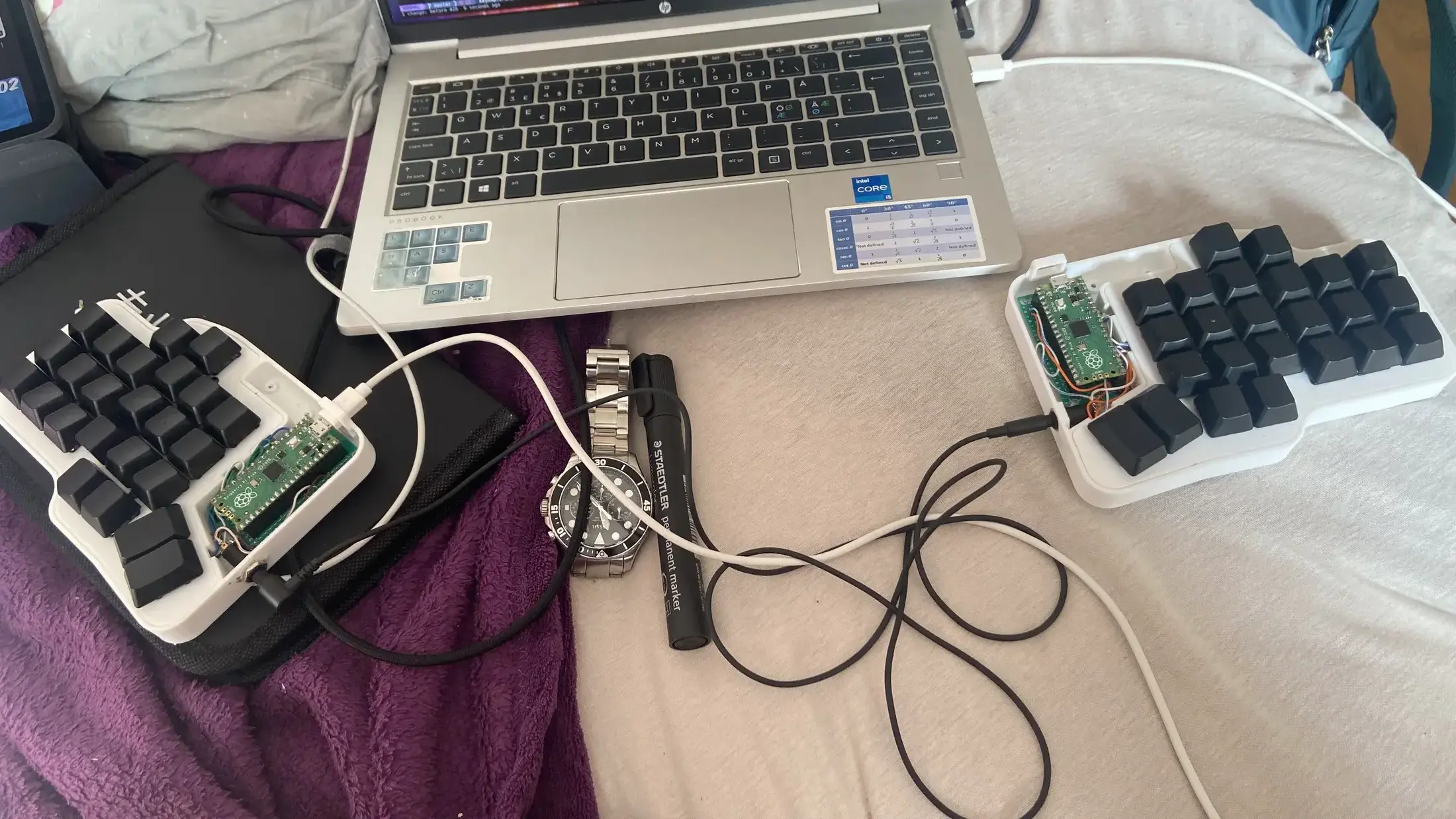
Figure 1: Custom split keyboard connected and with keycaps on.
I think it is time to scrap this keyboard :(
I did not like writing on it, the angle was wrong, it was too low, it did not have any heft to it. AND I still did not solve the problem with that one switch…It still autoclicked like a maniac… Alrighty, I said, and removed all the hot glue I used to secure wires a little bit extra (terrible mistake, hot glue on wires is a hell to remove afterwards…). After a whole afternoon of glue removing I was ready to desolder, I did not do it right away… Some day I will do that, but for now let collect dust…hopefully a new update comes at some point in near feature.
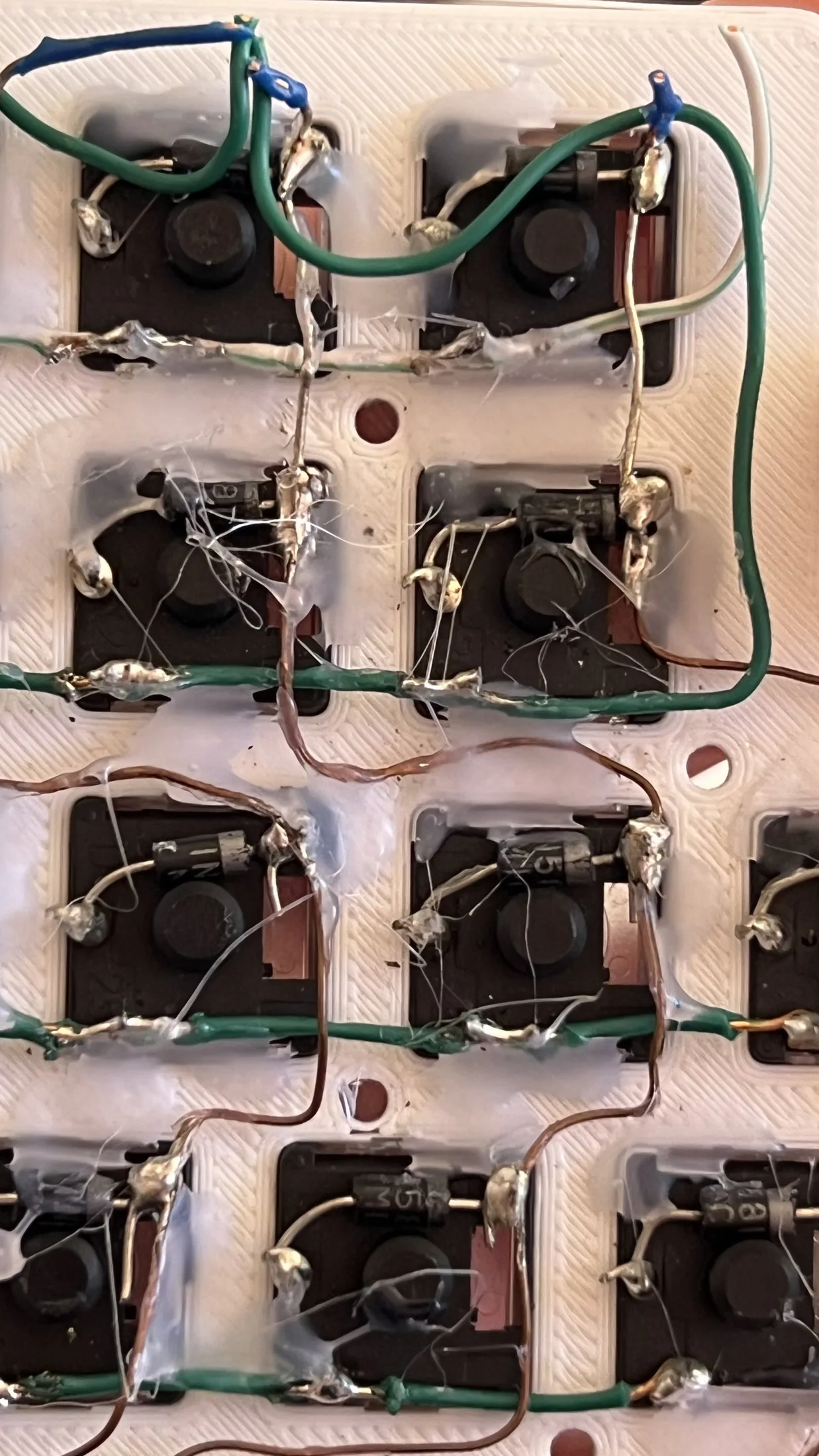
Figure 2: Glue hell